
Best Home Server Rack 2026: Sized for a Homelab, Closet or Office Corner
When you buy through the Amazon links on this page, we may earn a commission at no extra cost to you. Learn more
Last updated October 31, 2026
The StarTech 4POSTRACK12U is the best home server rack for most homelabs because its rails slide from 22 to 40 in (56.0 to 101.7 cm), so a full-depth server and a rack UPS both fit, and it holds 1,200 lb (544 kg) on the floor. A home rack is sized from the devices you own, not from a data-center number: most home labs land between 6U and 18U, and the format (open frame or wall cabinet, 19-inch or 10-inch) matters more than the brand.
If your gear is shallow network equipment and the wall can take it, the StarTech WALLMOUNT6 gets a switch and patch panel off the floor in a closet. If the rack sits where people see it, the Sysracks 18U wall mount cabinet closes and locks.
The best home server racks for 2026

StarTech 4POSTRACK12U
See on Amazon
Echogear EGAV-PROF15 open frame rack
See on Amazon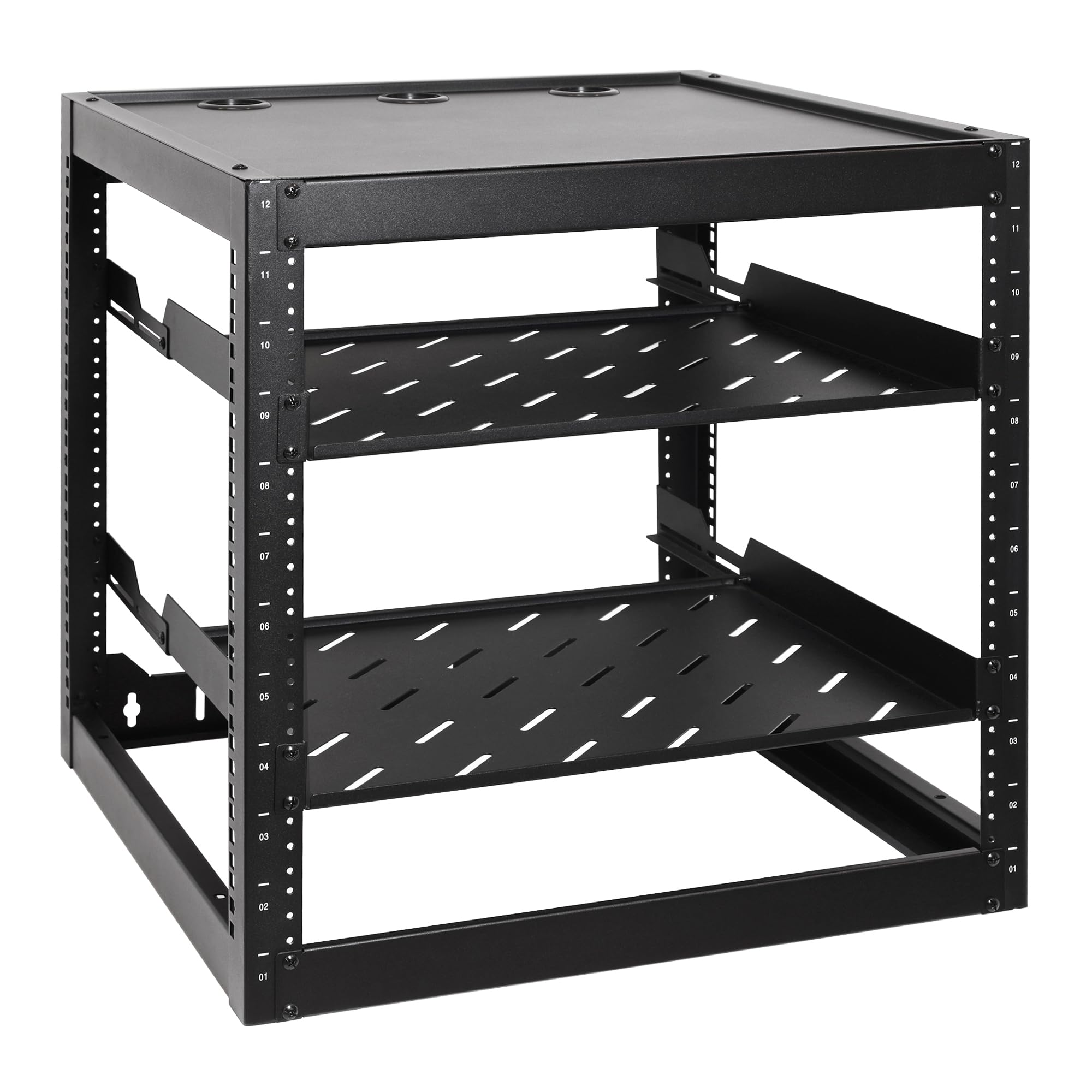
RackPath 12U open frame rack
See on AmazonModel comparison
| Model | Price | Rating | Material | Rack height | Weight capacity | Best for | |
|---|---|---|---|---|---|---|---|
| | StarTech 4POSTRACK12U | $249.99 as of 10/31 See on Amazon | ★ 4.7 (2,000+ ratings) | Cold-rolled steel | 12U | 1200 lb | Homelab builders mounting a full-size server plus UPS on the floor want the adjustable 22 to 40 in depth and 1200 lb capacity. |
| | Echogear EGAV-PROF15 open frame rack | $204.99 as of 10/31 See on Amazon | ★ 4.7 (1,200+ ratings) | Alloy steel | not stated | not stated | Renters and lab builders without a fixed spot get a 15U frame that stands on leveling feet or hangs on a wall. |
| | RackPath 12U open frame rack | $85.58 as of 10/31 See on Amazon | ★ 4.7 (80+ ratings) | not stated | 12U | 150 lb | Home lab users mixing rack gear with a tower PC or desktop NAS get two 14 in vented shelves with rear support brackets. |
 | StarTech WALLMOUNT6 | $72.99 as of 10/31 See on Amazon | ★ 4.8 (3,900+ ratings) | Steel | not stated | 44.1 lb | Small-office installers who want to mount and go should pick this fully assembled open frame with lifetime warranty. |
 | Sysracks 18U wall mount cabinet | $399.00 as of 10/31 See on Amazon | ★ 4.7 (50+ ratings) | Metal | 18U | not stated | Office corner owners who want the rack on display get an 18U lockable cabinet with a tempered-glass front door and quiet airflow. |
Rooms and Corners in Your House That Can Take a Rack
Clearance, floor strength and heat decide the spot, and the spot decides which rack format makes sense. Check the placement before you order, because a rack that does not fit its corner is a return.
Closet or under-stairs
The best place for noise containment and for keeping the rack out of sight. It needs clearance at the front and rear for door swing and airflow, plus an exhaust path: a sealed closet becomes an oven within an hour of a loaded rack running. Measure the door width against the rack's external width and depth before buying.
Basement
The coolest spot and usually the best floor for a heavy rack, since concrete takes casters or feet without complaint. Watch for damp and dust, and plan a dehumidifier if the space is unfinished.
Garage
Convenient for cabling and noise, but the worst for temperature swings and dust. An insulated, conditioned garage is a different proposition from an uninsulated one, and the difference decides whether gear survives summer.
Office corner or living space
Fine for a small open frame or a desktop rack, but noise and heat are on display. This is where a short, quiet, enclosed unit earns its place, and where an open frame with loud fans becomes a daily annoyance.
Floor strength and delivery
A loaded small rack is heavy but concentrated: a 12U frame with a UPS and two servers can approach the weight of a loaded bookshelf on a small footprint. On a suspended wood floor, spread the load and keep the rack against a load-bearing wall; on concrete, casters or feet both work. Check the delivery box dimensions and the doorway and stair clearance, and note whether the rack arrives flat-pack or assembled, since a tall welded cabinet is a two-person lift. Renters who cannot drill should plan on a freestanding frame or a desktop rack.
Short-depth racks for shallow home spaces
Most home gear is shallow. Patch panels run 2 to 4 in deep, managed switches 8 to 12 in, firewalls and mini PCs 6 to 10 in, short-depth UPS units 10 to 17 in, and short-depth NAS chassis 14 to 20 in. Full-depth 1U/2U servers at 26 to 30 in are the exception in a house, not the rule.
That is why short-depth frames and shallow wall cabinets exist: they fit a closet shelf line or an office corner without sticking into the room. The number to check is the usable rail depth, not the external depth of the cabinet, because a door, a fan panel or a cable channel eats into the space the device actually gets.
Checking each device
Take the manufacturer's depth for the chassis including any rear connectors or cable bend radius, compare it to the rack's maximum mounting depth, and confirm the device mounts from the front rather than needing rear support rails. Network gear usually hangs from the front posts; a server with sliding rails needs both front and rear posts at the right distance.
The overhang and door problem
A device deeper than the frame overhangs the back. That can block a closet door, foul a wall, or stop a cabinet's rear door from closing. In a wall cabinet, the clearance between the cabinet and the wall matters as much as the internal depth, so leave room for cables and airflow behind it.
Short-depth racks suit network gear and shallow servers. If you own or plan a full-depth server, you need a deeper frame or a 4-post rack with adjustable depth, and that decision belongs before the purchase, not after.
Keeping a home rack quiet enough to live near
Noise comes from three places: device fans, vibration transmitted into the floor or wall, and air whistling through tight perforations. The fans dominate. 1U and 2U enterprise servers typically run 40 to 60 dB at idle and louder under load, which is a conversation-level sound in the same room.
What the rack itself changes
An enclosed cabinet attenuates roughly 5 to 10 dB compared with an open frame. Solid sides and a door help more than any open structure can, at the cost of airflow. Open frames are the loudest option and the easiest to cool, which is the trade you make.
Placement is the cheapest fix
A closet or basement wall between the rack and the living space does more than any accessory. A rack in a bedroom or an open-plan office corner needs quiet devices more than it needs a quiet rack: 2U or 3U chassis with larger fans, low-power mini PCs, and an SSD-based NAS make far less noise than a 1U server.
Vibration
Casters and rubber feet isolate a floor-standing frame from the floor. A wall-mounted rack transmits fan hum straight into the wall, so isolate it from the studs with a resilient pad or a plywood backboard. Do not seal a cabinet for noise without a heat-removal plan: soundproofing and cooling pull against each other, and a sealed box overheats.
Dust, humidity and temperature in a home space
Household dust is the main long-term killer in a home rack. It clogs heatsinks and fan filters, and a garage or basement rack collects far more than a closet one. Vacuum and brush the intake side every few months, fit filters on intake fans where the rack supports them, and keep the rack off the floor on casters or feet.
Humidity
Unfinished basements and garages swing with the seasons, and condensation on cold metal is the risk. A dehumidifier or a sealed, conditioned space protects gear more than any rack feature does.
Heat
A closed cabinet without airflow runs noticeably hotter than the room, commonly 10 to 15 °C above ambient, and drives prefer to stay under about 45 °C. A 300 W rack load is roughly 1,020 BTU/hr, comparable to a small space heater, which matters a great deal in a closet. Leave 1U gaps around hot devices, use blanking panels to stop hot air recirculating to the front, and give a closet an exhaust path such as a vent, a door grille or a low-CFM fan rather than sealing it. Garage and basement racks need a temperature plan for summer and winter, not just a rack.
Hanging a Compact Rack on Your Wall Without Regrets
The wall, not the rack, is the limiting factor. A loaded small wall cabinet can exceed 150 lb, and the cabinet's own weight counts toward that figure before a single device goes in.
Fix into framing
Fix into studs with lag screws, never into drywall alone with anchors. Where the studs do not line up with the cabinet's mounting holes, fix a plywood backboard across the studs first and mount the cabinet to the backboard. Check for cables and pipes in the wall before drilling, and confirm the wall is load-bearing or suitably framed before committing.
Load expectations
Small wall racks are typically rated in the 85 to 200 lb range depending on the model and the fixing, and a drywall-only fixing holds a fraction of what a stud fixing does. Check the rack's stated wall load rating and stay under it with the loaded weight, cabinet included.
Keep heavy items low
A UPS is better at the bottom of a floor rack than at the top of a wall cabinet. Where a wall cabinet must hold one, mount it as low as the rails allow. Anything above a small 6U to 9U frame is a two-person job. Renters and shared walls are better served by a freestanding frame or a desktop rack, which avoids the structural question entirely.
Our picks by budget
The StarTech WALLMOUNT6 is our budget pick because it puts a switch and patch panel on the wall fully assembled, with cage nuts and screws in the box and a lifetime warranty, for the least money on this page.
The Echogear EGAV-PROF15 is our mid-range pick because the extra spend buys height, two vented shelves and the choice of floor or wall placement, which is the flexibility a lab still finding its home needs.
The Sysracks 18U wall mount cabinet is our premium pick because the money goes into the enclosure itself: a lockable glass door, removable side panels, cable routing and the largest capacity here.
Budget
Mid-range
High-end
Which home server rack fits your setup
The growing home lab
You expect to add servers and a UPS, and you want depth and load headroom without a wall cabinet. The adjustable rails take a full-depth chassis and the 1,200 lb capacity leaves room for everything you add.
The undecided placement
You have not settled on a closet or a basement corner, and you want one rack that works either way. It stands on leveling feet or hangs on a wall, and the two included shelves cover your non-rack devices.
The shelf-heavy lab
You mix rack gear with a tower PC, a modem or a DVR that needs a shelf rather than rails. The two 14 in vented shelves with rear support brackets carry those devices, and the 12U frame takes your switches and patch panel.
The network-closet builder
You have a switch, a patch panel, a router and a couple of small devices, and no floor space to give. It ships assembled, mounts flat against the wall at 13.78 in deep, and holds slim 19-inch gear.
The visible office corner
The rack sits where clients or family see it, and you want it closed and locked. The tempered-glass door and locking side panels give a finished look, and the 18U capacity is the largest here.
Our verdict on the best home server rack
Count your U and measure your deepest device first, then choose wall or floor by whether the wall can carry the load and whether drilling is allowed, then choose open or enclosed by noise, dust and whether the rack is on display. For most home-lab readers the StarTech 4POSTRACK12U is the pick, because its rails slide from 22 to 40 in (56.0 to 101.7 cm) to take a full-depth server and a rack UPS, and it holds 1,200 lb (544 kg) on the floor. If you have not settled on a spot and your gear is shallow, the Echogear EGAV-PROF15 suits that profile with 15U of growth, two shelves included and the choice of floor or wall placement. A small closet is better served by the StarTech WALLMOUNT6, and a finished, lockable install by the Sysracks 18U wall mount cabinet. If you own only a mini PC and a NAS, a rack is optional: a shelf or a small desktop frame does the same job for less space and less noise.
Detailed model analysis
StarTech 4POSTRACK12U
The StarTech 4POSTRACK12U suits a homelab running full-size gear. Its four posts give 22 to 40 in of adjustable mounting depth, so a deep server and a rack UPS can share one frame.
It is rated for 1,200 lb of stationary load. Rack unit and depth markings on the frame help you set the depth. It fits a utility closet or a narrow home office space.
The box includes 4 casters, 4 leveling feet, 24 M6 cage nuts, 4 cable management hooks and 4 grounding wires. The base is pre-drilled, so you can also bolt the rack to the floor.
It ships flat-pack and needs assembly, and the assembly tools come in the box. It weighs about 50.1 lb (22.74 kg).
The main limit is the open frame: it has no doors, side panels or lock, so it gives no security at the rack level. At 12U of height, it also caps how much gear fits.
A 2-year warranty and free lifetime 24/5 technical support back it. It suits home lab builders with a full-size server and a UPS who don't need a lockable enclosure.
- Brand: StarTech
- Rack height: 12U
- Adjustable mounting depth: 22 to 40 in
- Weight capacity: 1200 lb
- Weight: 50.1 lb (22.74 kg)
- Material: Cold-rolled steel
Echogear EGAV-PROF15 open frame rack
The Echogear EGAV-PROF15 open frame rack gives you 15U that stands on its leveling feet or hangs on a wall, so you can pick the spot that works.
It holds 600 lb on the floor but only 200 lb on the wall, so heavy servers belong on the floor. The frame weighs 37.1 lb.
Equipment can be up to 19 in deep, so a deeper server needs a different rack. Two vented shelves come with it: a 1U shelf 15.12 in deep and a 2U shelf 18 in deep.
The open design and vented shelves help air move around hot networking and AV gear. Assembly takes under 20 minutes with the included hardware and a screwdriver, which you supply.
Casters are not included and are sold separately, so rolling it takes an extra purchase. It is an open frame with no doors, so it is not an enclosed cabinet.
It suits renters and lab builders who want a 15U frame for networking or AV gear and can live without doors.
- Brand: Echogear
- Rack size: 15U
- Depth: 20.4 in
- Mounting type: Wall mount or freestanding
- Material: Alloy steel
- Weight: 37.1 lb
RackPath 12U open frame rack
The Rackpath 12U open frame rack comes with two 1U vented shelves, each 14 in deep, with rear support brackets that add stability and spread the load for heavier devices such as modems, DVRs and UPS units.
The frame takes standard 19-inch gear and mounts on a wall or sits on the floor. The 12U height gives room for network switches, patch panels, AV gear, servers, CPUs and desktops.
It weighs 23.1 lb and uses reinforced cold-rolled steel with a black powder-coated finish. The maximum load is 150 lb, so add up your gear's weight before you fill it.
The kit includes 30 10-32 mounting screws and 8 M5 wood screws for the wall. Anchors for drywall or masonry are not supplied, so those walls need separate anchors.
The frame is open, with no enclosure, doors or side panels. It suits home lab users mixing rack and desktop gear who want two shelves plus the choice of wall or floor mounting.
- Brand: Rackpath
- Rack height: 12U
- Weight capacity: 150 lb
- Shelf depth: 14 in
- Rack width compatibility: 19 in
- Mounting: Wall mount or floor standing
StarTech WALLMOUNT6
The StarTech WALLMOUNT6 is a 6U wall rack that keeps a switch and patch panel off the floor. It is an open frame with 2 posts.
Equipment can be up to 13.78 in deep, so it suits patch panels, network switches and other slim 19-inch gear. The mounting holes sit 16 in apart, matching standard drywall stud spacing, so you can anchor it into studs.
It ships fully assembled with 12 M6 screws, 12 M6 cage nuts and an instruction manual. It is made of cold-rolled steel and carries a lifetime warranty with free lifetime 24/5 technical support.
It is designed for wall mounting only and has no enclosure or doors. Anything deeper than 13.78 in will not mount.
The StarTech 4POSTRACK12U offers 12U and a 22 to 40 in mounting range, but it needs floor space.
It fits a network closet, wiring closet or back office, and suits small-office and closet installers with no deep gear to rack.
- Brand: StarTech
- Rack size: 6U
- Mounting type: Wall mount
- Max depth: 13.8 in
- Weight capacity: 44.1 lb
- Material: Steel
Sysracks 18U wall mount cabinet
The Sysracks 18U wall mount cabinet is an enclosed, lockable rack with a tempered-glass front door and lockable removable side panels. It suits a rack in view, such as in an office corner, with controlled access.
A top fan, a power distribution unit, 2 fixed shelves and brush-sealed cable-entry panels at the top and bottom come with it. Vented surfaces and the fan support airflow. Adjustable EIA-310 compatible rails hold 19-inch gear.
It offers 18U in a cabinet 24 in wide and 18 in deep. Usable mounting depth is only 14 in, so it fits routers, switches, patch panels, shallow NAS units, DVRs and AV gear.
Wall mounting is rated for 133 lb on a suitable wall, so pick fasteners that suit the cabinet and its gear. It weighs 51 lb.
Four casters and 4 leveling feet let it stand free. Only compact, lightweight servers suit it, since full-depth or heavy servers are better in floor racks.
A 2-year warranty covers it, as with the StarTech 4POSTRACK12U, which mounts deeper gear, 22 to 40 in. It suits office-corner owners who want the rack on display and locked.
- Brand: Sysracks
- Rack height: 18U
- Usable mounting depth: 14 in
- Wall-mount load capacity: 133 lb
- Weight: 51 lb
- Material: Metal
Frequently asked questions
How many U do I need for a home server rack?
Add up the U height of every device you own, then add 25 to 30% empty space for growth, 1U per cable manager and a gap around hot devices. A 12U frame covers a switch, patch panel, NAS, UPS and a server or two, and 18U is the ceiling for a typical house.
What depth does a home server rack need?
Take the depth of your deepest device, add 3 to 4 in for cables and connectors, and that is your minimum rail depth. Most home gear is shallow, but a full-depth server needs 26 to 30 in plus clearance, so measure that chassis before you buy.
How much heat does a home rack put into the room it sits in?
A 300 W rack load gives off roughly 1,020 BTU/hr, which is about the same as a small space heater. That figure is what makes a closet or an office corner feel warm once the gear is running, so plan the room around the heat the rack makes rather than the rack alone.
Do I need a rack at all?
Not for a mini PC and a NAS: a shelf or a small desktop frame does the job. A rack starts earning its place once you have three or four rack-mountable devices that need to be powered, cabled and cooled in one place.